Features
Everything in the box.
Penna keeps its tools in one thin rail at the edge of the page, so most of the time you'll forget it's there. Here's what's tucked inside, one screen at a time.
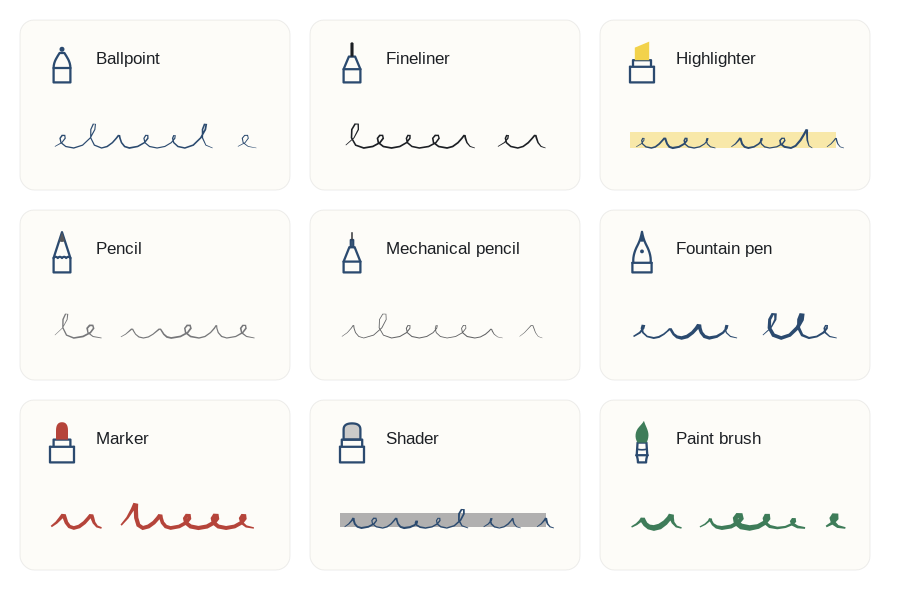
Nine pens, and an eraser with opinions
Ballpoint, fineliner, highlighter, pencil, mechanical pencil, fountain pen, marker, shader and paint brush, all with pressure and tilt. Two live on the rail, each with its own color and size.
- Scribble over a mistake and it's gone. Or rub it out, take whole strokes, or draw a loop round what should go.
- Hold still at the end of a wobbly circle and it tidies itself up. Boxes, arrows, stars and seven more shapes too.
- Lasso ink to move it, recolor it, or cut and paste it onto another page.
- Layers, as many as you like, for the sketch under the sketch.
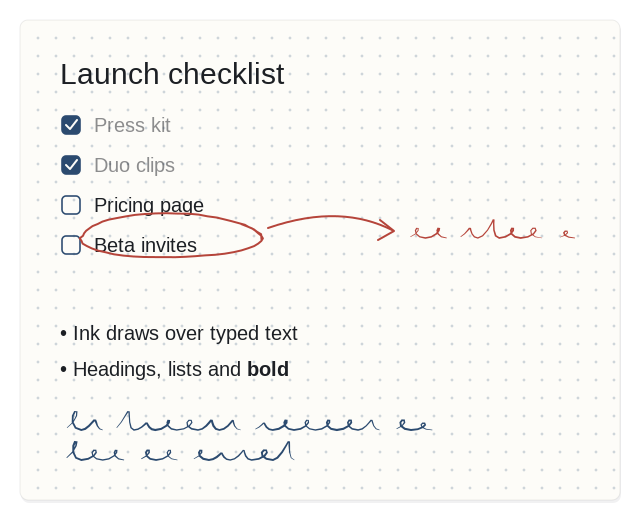
Type right on the page
Pick the Text tool, tap, and type. Headings, lists and checkboxes come from plain Markdown, and a tap ticks a box. Ink sits on top of text, so circling your own typed words is very much allowed.
Sign it, scribble on it, send it back
Bring in a PDF and write on it like it was printed. Every page keeps its own size and your ink stays where you put it. Links inside the PDF still work with a tap.
- Highlight, fill in forms and sign with any pen.
- Share it back with your ink flattened in, or keep a clean copy with Duplicate.
Markdown files, for when typing wins
Sometimes a list is just faster on a keyboard. A Markdown file is typed text that Penna formats as you go and saves as plain .md, byte for byte, so it opens anywhere else too. Type [[ to link to a notebook page, a PDF or another file.
All about Markdown files →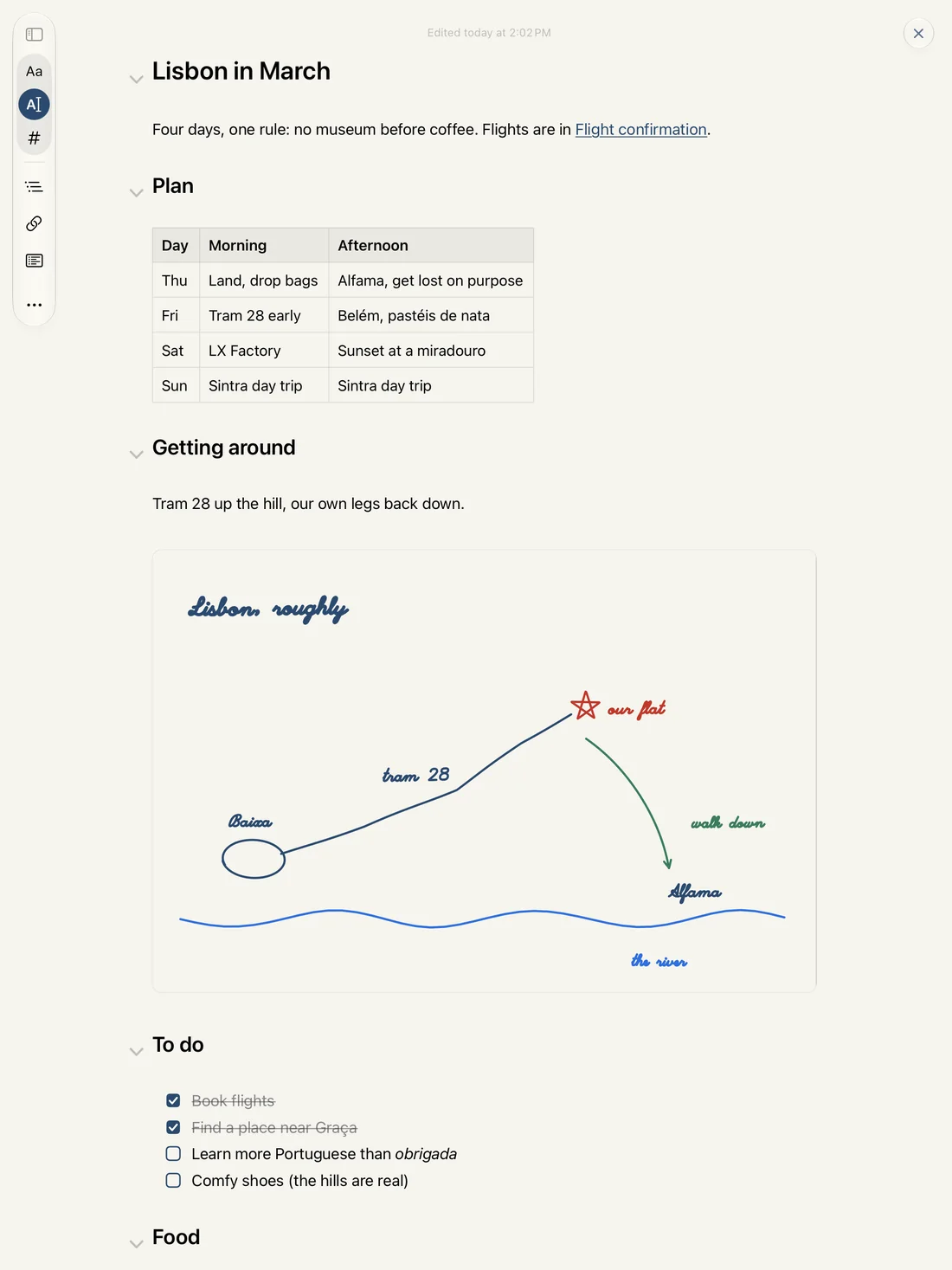
A planner for any year, made on the spot
Pick a year, switch on the sections you'll use (habits, goals, meals, money, reading and a few more) and Penna builds it in a few seconds. Every date, week and month is linked, so a tap takes you there and the Pencil writes over the rest. Come December, Make Next Year's does what it says.
Templates and planners →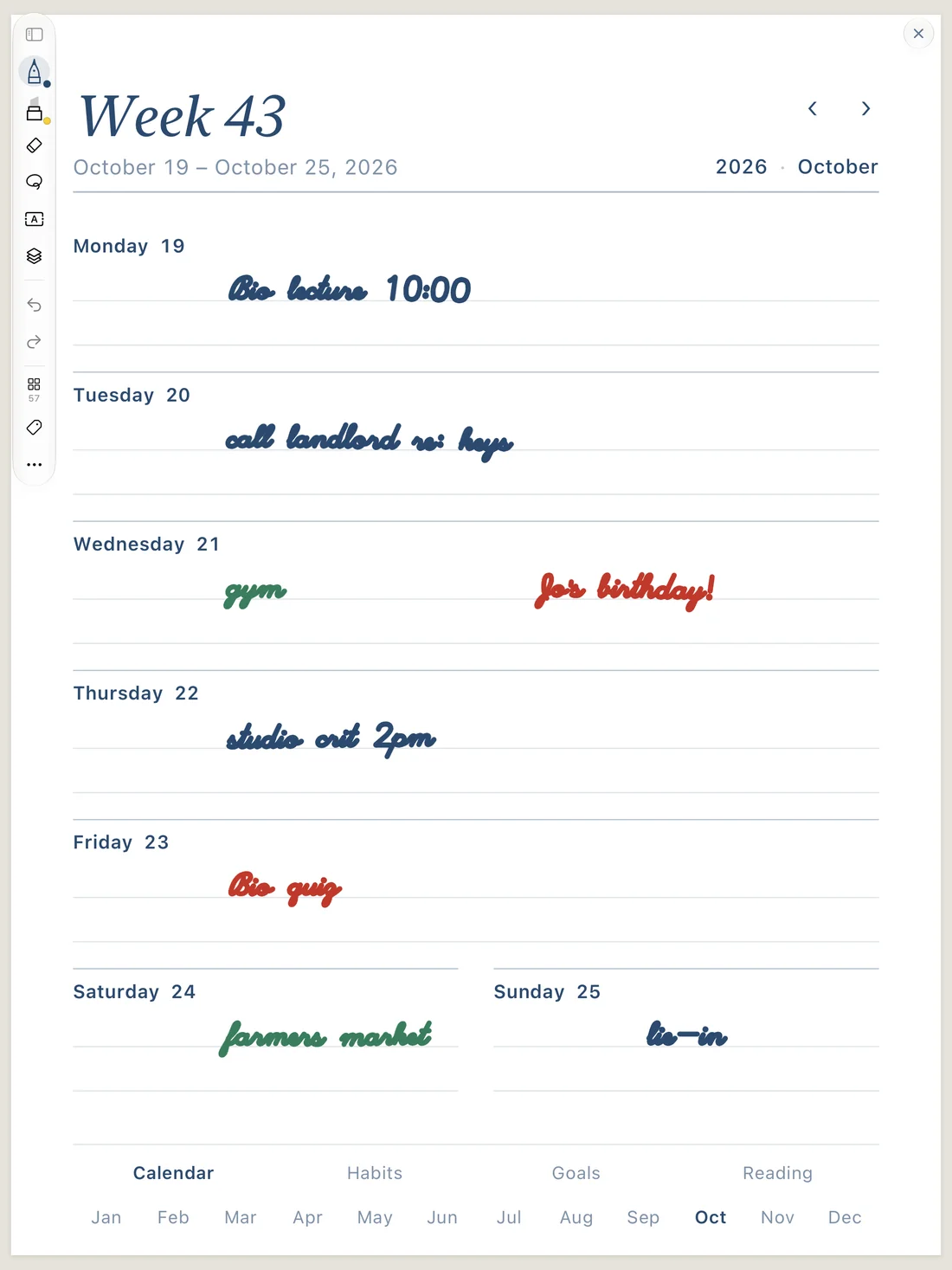
Find the thing you wrote in March
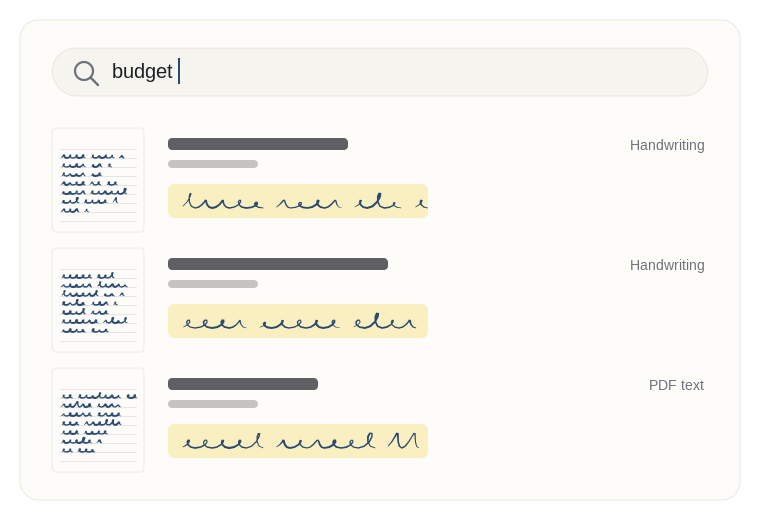
Search looks through names, typed text, PDFs, Markdown files and your handwriting, which is read right on your device, in the background. Words can come in any order; put a "phrase in quotes" or a #tag to narrow it down.
- Convert a page to text to copy it somewhere, or lasso a few lines to turn them into a text box.
- Find in a notebook, Go to Page, and tags on whole notebooks or single pages.
- On iPhone and iPad, Spotlight finds your notebooks too.
A Library that stays tidy
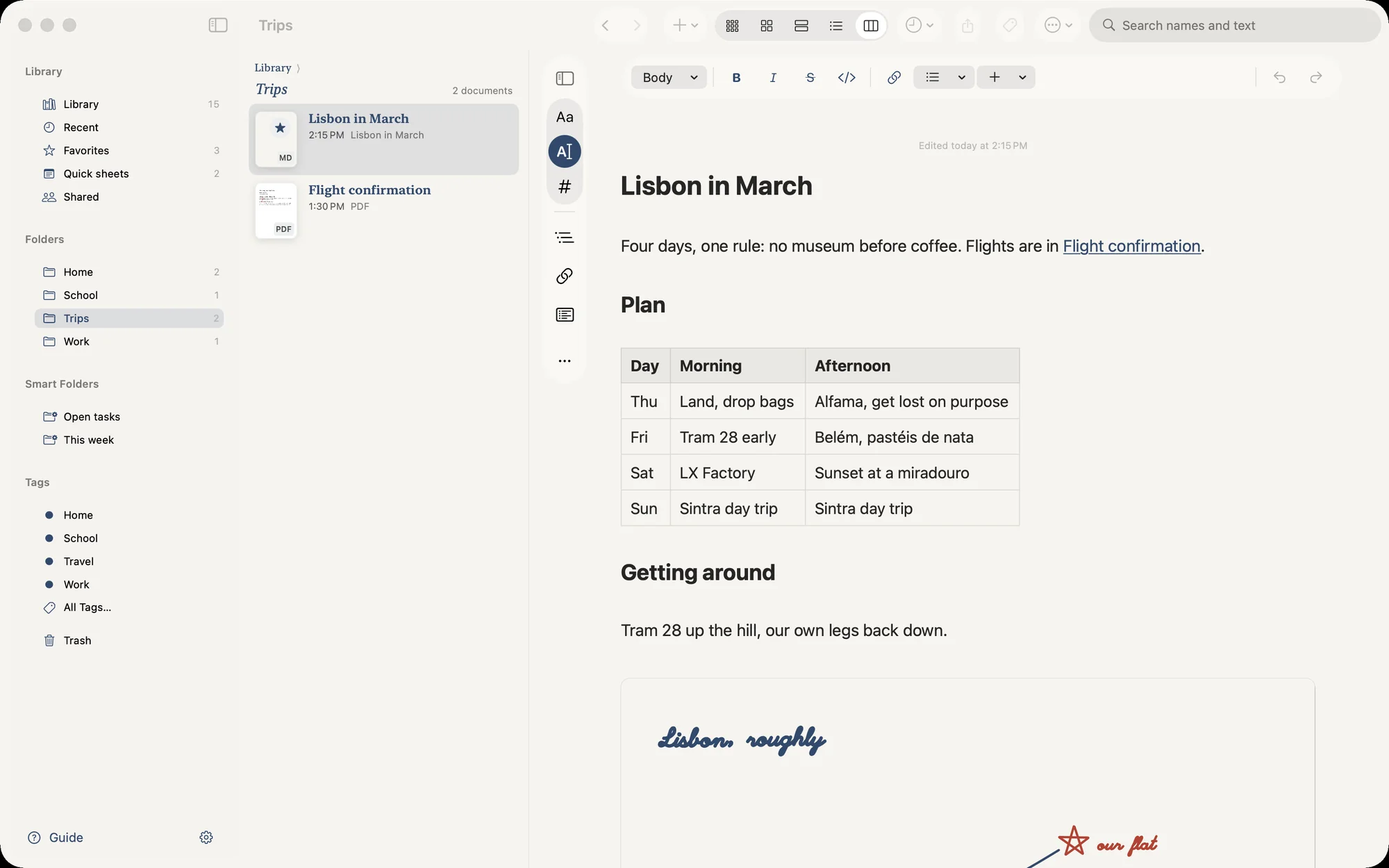
Notebooks show as covers or a list, in folders inside folders if that's how you roll. Drag things into your own order and they stay there.
- The Columns view puts a list on one side and whatever you've opened on the other, a bit like Notes.
- Smart folders fill themselves from rules: open tasks, anything tagged #exam, whatever you touched this week.
- Quick sheets catch the things you'll sort later. Siri and Shortcuts can start one.
- Deleted things wait in Trash for 30 days, in case you change your mind.
Share it, or draw on it together
Share a notebook, PDF or folder with people by email, to edit, comment or just look. Their ink shows up as they write, with their initial at the tip of the pen. On a call, Share Live sends a link that anyone can watch in a browser.
All about sharing →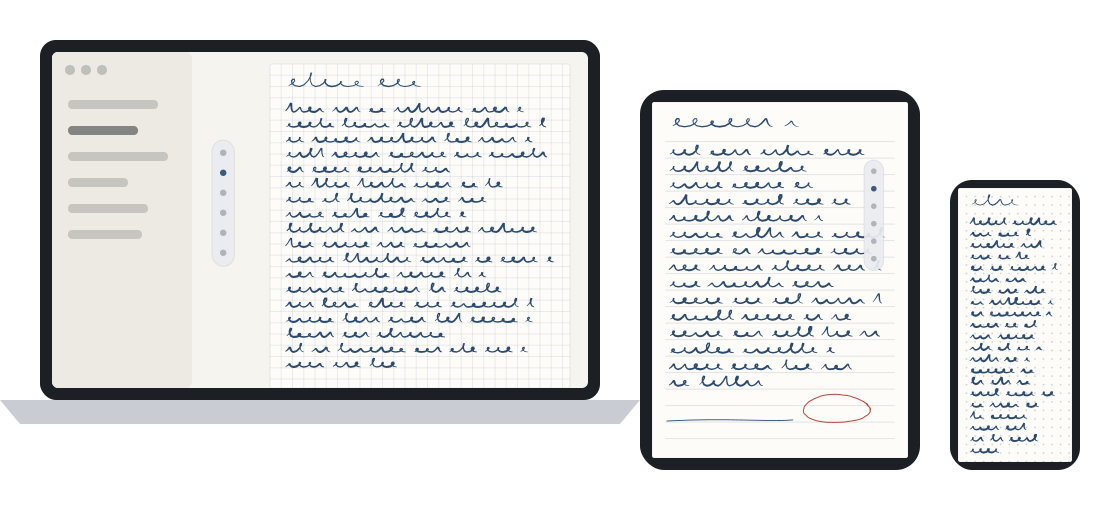
Bring things in
PDFs, Markdown and text files, photos and screenshots come in through Import…, a drag onto the Library, or Open in Penna from another app. Pictures become pages ready to scribble on, and Scan Document turns paper into pages with your camera. Moving over from reMarkable or Apple Notes? There's a page for that.
Coming from somewhere else →Sync, if you want it
Sign in with Apple or an email code and your notebooks, PDFs, Markdown files, folders and tags follow you between devices and to the web. Changes show up almost at once, you can keep writing offline, and if you edit the same thing in two places, Penna merges it.
Write it down. Then find it again.
Penna is coming soon to iPad, iPhone, Mac and the web. Leave your email and we'll send exactly one message: the day it's out.